Features
Multi-site Management
Manage multiple enterprise websites, languages and themes from one CatchCMS instance with clear site boundaries for AI-assisted operations.
Learn more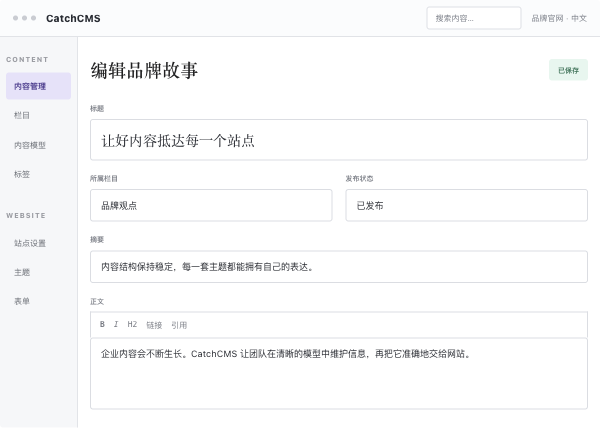
CatchCMS · Build themes with AI, manage content and data, and launch multilingual enterprise websites faster with MCP, flexible themes and SEO/GEO operations.
CatchCMS is an AI-native CMS for enterprise websites with AI-assisted theme development, MCP content management, multi-site support, multilingual websites and SEO/GEO operations.
Product capabilities
Explore CatchCMS capabilities for AI-assisted theme development, MCP content management, multilingual enterprise websites and SEO/GEO operations.
Features
Manage multiple enterprise websites, languages and themes from one CatchCMS instance with clear site boundaries for AI-assisted operations.
Learn more
Features
Use Codex, Claude Code or Cursor to accelerate CatchCMS Blade theme development, then preview, package, install and verify releases.
Learn more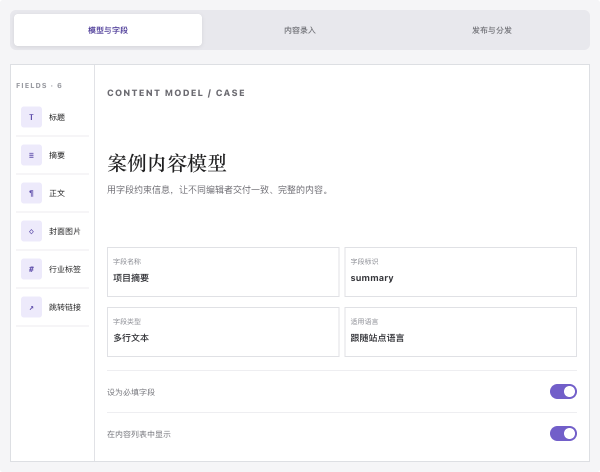
Features
Use MCP-connected AI clients to query and maintain CatchCMS sites, content, SEO, forms and themes within admin permissions.
Learn more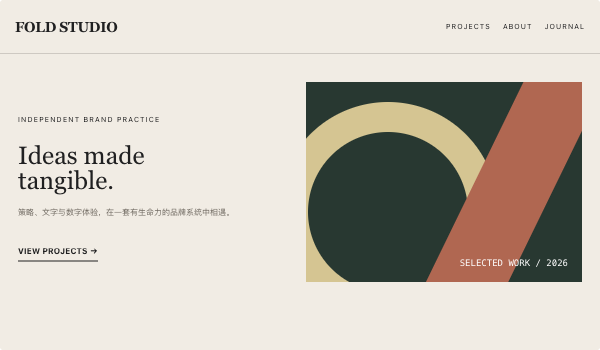
AI-assisted theme development
Give design references and the theme specification to external AI tools such as Codex, Claude Code, or Cursor. Developers review CMS integration, presentation, and release readiness.
<x-cms::contents category="features" :limit="6">
  @foreach ($component->items() as $item)
    <article>
      <h2>{{ $item->title }}</h2>
      <p>{{ $item->summary }}</p>
    </article>
  @endforeach
</x-cms::contents>

// Versioned theme assets
<img src="{{ cms_theme_asset('assets/product-editor.png') }}" alt="">
Changelog
CatchCMS validates ZIP theme packages, records versions, binds themes to domains and supports controlled version switching and rollback.
Maintain language-specific content, SEO metadata and translatable dynamic fields in CatchCMS for multilingual enterprise websites.
CatchCMS connects MCP-compatible AI clients with permission-aware website content management, token control and post-operation verification.
The first CatchCMS theme release includes homepage, pricing, About, contact, category and detail pages, multilingual support and responsive layouts.
CatchCMS v1.1.0 adds homepage anchor navigation, license comparison cards, an online demo section and a changelog timeline.
Licensing
Choose an annual update or lifetime update plan for your enterprise website and long-term CMS operations.
¥399 / year
The CatchCMS annual update plan helps teams launch an enterprise website and follow product releases for one year.
¥599 One-time purchase
The CatchCMS lifetime update plan gives long-term website operators ongoing version updates with a one-time purchase.
Contact Us
Talk with the CatchCMS team about product demos, licensing, deployment and AI-assisted enterprise website development.
FAQ
CatchCMS renders the frontend directly through the Blade runtime. The admin, theme and public pages run within the same Laravel application.
Product pages, feature pages, FAQs and forms can output HTML directly from the CMS, making the system suitable for enterprise website SEO, visitor experience and ongoing maintenance.
CatchCMS supports multi-site and multilingual operations together. One instance can manage multiple websites by domain, while each site can bind its own languages, theme and content.
Titles, body content, SEO descriptions and dynamic fields can be maintained by language. When a translation is missing, the frontend falls back to the default language, which fits English enterprise websites and regional content operations.
Content models and dynamic fields can be configured in the admin. Teams can define fields, options and validation rules for products, case studies, articles and FAQs, then adjust the structure as the business evolves.
After MCP is connected, an AI client reads the live field definitions before creating or updating content within the admin account permissions, keeping website data structured.
Within the connected admin account permissions, MCP can query and maintain sites, languages, categories, content models, dynamic fields, product features, FAQs, changelogs, SEO fields, forms and themes.
The AI client reads the current site and field definitions before querying, creating, updating or sorting data. In a multi-site environment, each operation identifies its target site and the token follows the linked admin account permissions.
CatchCMS supports Codex, Claude Code and Cursor. These AI tools can use page requirements, design references, component guidelines and data structures to assist with Blade templates and styles.
Developers then complete CMS integration, page preview, ZIP packaging, version installation and release verification in CatchCMS, turning AI-assisted development into a manageable theme delivery workflow.
Themes are managed through ZIP packages and version records. Developers can use Codex, Claude Code or Cursor to build Blade templates, complete the theme integration checks and upload the package to the admin.
A site can bind a selected theme version and switch or roll back between installed versions, supporting continuous enterprise website iteration and releases.
CatchCMS provides titles, keywords, descriptions, canonical URLs, JSON-LD, hreflang, robots.txt, sitemaps and server-side rendering for sites, categories and content.
Teams can also query content and visit data through MCP, then improve product pages, FAQs and page structures so search engines and AI search systems can understand the enterprise website's products, services and business scenarios more easily.
CatchCMS supports inquiry, quote, trial, demo booking, recruitment and partnership forms. Teams can define fields, validation rules and submission handling in the admin, turning website visits into follow-up leads.
Forms support CAPTCHA, honeypot protection, IP limits, email notifications and submission record queries and exports, helping product, marketing and sales teams follow up on website leads.
CatchCMS offers annual update and lifetime update plans. Annual updates suit teams that follow releases year by year, while lifetime updates suit long-term websites, self-owned projects and client delivery.
Teams can confirm the number of sites, deployment scope, source code delivery and commercial usage before purchase, then choose the plan that matches the project lifecycle.